Free Local SEO: Climb the Google Maps Rankings
Last updated November 20, 2026
Free local SEO is the practice of optimizing your Google Business Profile, website and online citations to rank higher in Google Maps and the local pack without paid advertising or software. It works by improving relevance, prominence and consistency signals that Google uses to rank local businesses, focusing on complete profiles, steady review velocity and NAP (Name, Address, Phone) alignment across directories.
Table of contents
- What Free Local SEO Actually Means
- Why Your Business Isn't Showing Up in the Google Maps Top 3
- Complete Your Google Business Profile the Right Way
- How to Get More Google Reviews Without Breaking the Rules
- Post and Photo Strategy That Signals Active Business
- Align Your Website With Your Google Business Profile
- Fix Your NAP Consistency Across Directories
- How to Verify Your Google Business Profile With a Video
- Can a Service Area Business With No Storefront Rank in Google Maps?
- Why Was My Google Business Profile Suspended and How Do I Get It Back?
- Turn Profile Views Into Calls and Booked Jobs
- When Free Tactics Aren't Enough
- Your 90 Day Free Local SEO Action Plan
- Frequently asked questions
- Get Your Free Ranked List of Fixes
What Free Local SEO Actually Means
Free local SEO is the practice of optimizing your Google Business Profile, website and online citations to rank higher in Google Maps and the local pack without spending money on paid ads, tools or agencies. It focuses on three ranking signals Google prioritizes: relevance (how well your profile matches the search), proximity (how close you are to the searcher) and prominence (how well known and active your business appears online). The core assets are free: your Google Business Profile, your website content, citations on directories like BBB and Yelp, and customer reviews.
You invest time and consistency rather than money. Complete every field in your profile. Post at least weekly. Request reviews steadily. Ensure your business name, address and phone number appear identically everywhere. Free tactics work because Google's local algorithm rewards completeness, activity and credibility, not ad spend.
Expect 90 days for Google to recalibrate your profile after major changes. Steady ranking gains typically appear in months 4 to 6 if you post consistently and maintain review velocity.
Why Your Business Isn't Showing Up in the Google Maps Top 3
Most businesses ranking between positions 4 and 10 lack prominence or relevance due to incomplete service descriptions, low activity and weak review velocity compared to the top 3. Your primary category may be too broad or mismatched to what customers actually search for, pulling you into a larger, more competitive pool. You may have fewer reviews, older photos, irregular posting or no replies to reviews. All of these signal lower engagement to Google.
Your website and Google Business Profile may not share the same keywords, cities or primary service language, breaking the local relevance loop. Proximity plays a role, but only after relevance and prominence are strong. If you're losing to a business farther away, the gap is usually in completeness and activity. The quickest path forward? Benchmark your profile against the businesses ranking 1 through 3 in your city and close the specific gaps in services, photos and review count.
Complete Your Google Business Profile the Right Way
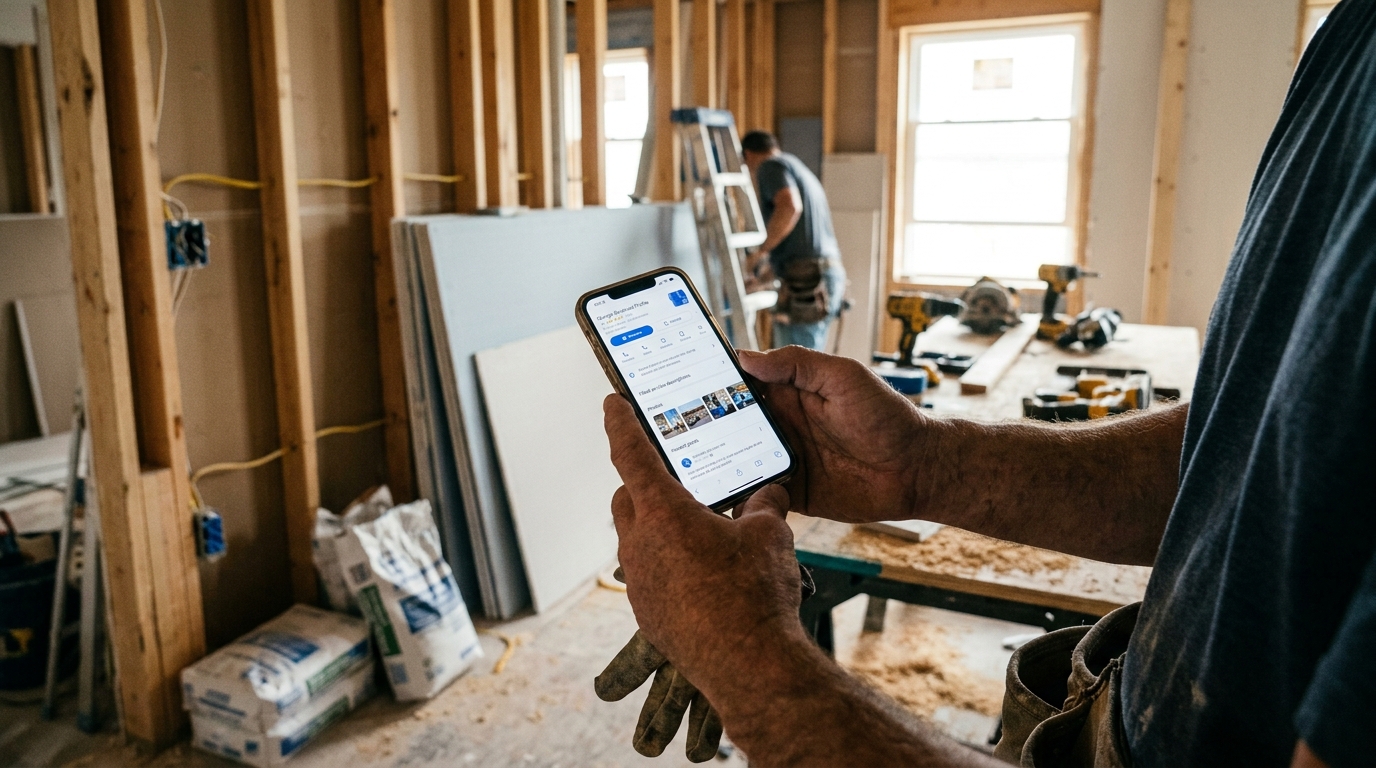
Use your exact legal or DBA business name with no added keywords to complete your profile correctly. Keyword stuffed names violate Google policy and risk suspension. Choose the most specific primary category that matches your highest value service and mirrors what your top 3 competitors use. Your primary category drives the searches you appear in.
Write a 750 character business description that names your services, service area and what makes you different. Use natural language customers would search. Add every service you offer with a 300 character description for each. These descriptions are indexed and boost relevance for specific searches.
Fill in hours, attributes, appointment link, website, booking button and all social links. Google rewards completeness. Verify your profile using the method Google offers (usually postcard). If postcard isn't available, follow the 5 shot video verification framework: street view, exterior signage, interior workspace, tools of the trade and yourself at work.
Keyword stuffed business names, PO boxes, virtual offices, fake reviews and bulk photo uploads all violate Google's guidelines and risk suspension. Use your exact legal or DBA name and steady, compliant tactics only.
What Is the Best Primary Category for My Google Business Profile?
The best primary category is the most specific match to your highest value service and must be chosen from Google's official category list, mirrored by your top 3 local competitors. Open an incognito window and search your main service plus your city. Note the primary categories of the businesses ranking 1 through 3 by clicking through to their profiles. Pick the one that matches your core offering.
Never choose a broad category like 'contractor' when a specific one like 'roofing contractor' or 'HVAC contractor' exists. Specificity drives relevant traffic. You can add up to 9 secondary categories, but the primary category determines which searches you rank in. Changing it carelessly can drop you out of visibility for weeks.
How to Get More Google Reviews Without Breaking the Rules
Ask customers for reviews at their happiest moment: right after you finish the job and they're pleased, or when they text to say thank you. Google prohibits review gating (asking for a review only if the customer is happy), incentivizing reviews with discounts or gifts, and bulk review requests. Send 2 to 5 review requests per day to past customers by text or email with a direct link to your Google review page. Steady velocity beats bursts and looks natural to Google.
Reply to every review within 24 to 48 hours. Thank the customer by name and briefly mention the service. Replies show engagement and encourage more reviews. Use QR codes and NFC cards on invoices, truck decals and job site signage so customers can leave a review with one tap.
Track your review velocity and aim to match or exceed your top 3 competitors' monthly review count within 90 days. Compliant review systems turn happy customers into visible credibility without risking your profile.
Post and Photo Strategy That Signals Active Business
Post at least once per week to maintain active status, but posting every 1 to 2 days is the full speed strategy for maximum engagement and visibility. Google prioritizes profiles that post regularly because posts signal an active, engaged business rather than an abandoned listing. Each post should be 100 to 150 words with a real photo and a Call or Book button.
Add about 15 real photos per month, dripped over time rather than uploaded in bulk. Photos should show your team, your work in progress, completed projects and your service area. Include short videos every 2 weeks (15 to 60 seconds showing your work, your process or a customer testimonial).
Seed your Questions and Answers section with 5 to 7 common questions customers ask, answered in plain language. Unanswered questions from strangers can damage trust. Each post should highlight a recent project, announce a seasonal service, share a tip related to your industry or feature a customer review with a photo of the completed work. Always include a real photo, avoid generic stock photos or AI generated images, and add a Call or Book button so viewers can convert immediately.
Align Your Website With Your Google Business Profile
Your website homepage title, H1 and meta description should match your Google Business Profile primary category and service cities to create a local relevance loop. If your primary category is 'HVAC contractor' and you serve Escondido, your H1 should be 'HVAC Contractor Serving Escondido' and your title tag should echo that language. This alignment tells Google that your site and your profile represent the same expert business.
Add LocalBusiness Schema to your homepage so Google can read your NAP, service area, hours and reviews in structured data. Use PageSpeed Insights to test your site speed and fix any issues that slow mobile load time (speed affects local rankings and conversion).
Publish 3 to 5 service pages (one for each major service you offer). Each should have a unique H1, 500 to 800 words of content, photos and a local service area mention. Build a simple FAQ section on your homepage answering the top 5 questions customers ask. Google pulls FAQ snippets into search results and voice answers.
Fix Your NAP Consistency Across Directories
Ensure your Name, Address and Phone number appear identically on every directory where your business is listed. NAP stands for Name, Address and Phone number. Google cross checks your business information across hundreds of directories, and inconsistency is a major red flag that damages trust and rankings. List your business on free directories like BBB, Yelp, Bing Places, Apple Maps and Angi using the exact same name, address and phone number that appears on your Google Business Profile.
Even small differences like 'Street' versus 'St' or a disconnected old phone number can confuse Google and dilute your prominence. 10 Free Local SEO Tools, so aim for at least 10 to 15 quality citations within your first 90 days.
10 Free Local SEO Tools. Check your current citations manually or use a free local SEO audit to find and fix mismatches. For a deeper dive on how to audit and fix NAP issues, see our guide on NAP consistency in local SEO.
| Ranking Factor | What to Optimize | Free Tool or Tactic | Timeline |
|---|---|---|---|
| Relevance | Primary category, service descriptions, website H1 alignment | Google Business Profile editor, homepage metadata | Week 1 |
| Prominence | Review velocity, photo volume, post frequency | Direct customer requests, smartphone camera, GBP posts | Ongoing |
| Consistency | NAP across directories, schema markup | Manual directory edits, schema generator | Month 1 |
| Proximity | Service area definition, city-specific content | GBP service area settings, website service pages | Week 2 |
| Activity | Posts every 1-2 days, reply to reviews, Q&A seed | GBP mobile app, manual replies | Ongoing |
How to Verify Your Google Business Profile With a Video
Film a 60 second video using the 5 shot verification framework when Google requests video verification. Video verification is required when Google cannot confirm your business through other methods, often for service area businesses, home based businesses or new profiles. Google asks for a video proving you operate at the address you claim.
Shot 1: film the street view showing your address number and street name clearly visible. Shot 2: show your exterior signage, truck wrap or branded storefront. Shot 3: film your interior workspace or office with equipment visible. Shot 4: show tools of the trade or branded materials like uniforms, invoices or business cards with your name and address.
Shot 5: film yourself or a team member at work, narrating who you are and what your business does. Keep the video under 60 seconds, well lit and steady. Upload the video through the Google Business Profile dashboard when prompted. Google reviews within 5 business days. If rejected, they'll tell you what's missing, and you can resubmit.
Can a Service Area Business With No Storefront Rank in Google Maps?
Yes, service area businesses can rank in Google Maps by defining a realistic service radius and hiding their street address if they don't serve customers at that location. Service area businesses rank by defining a realistic service radius (typically 30 to 40 minutes of drive time) and hiding their street address if they don't serve customers at that location. Google requires a real address for verification, but you can hide it after verification and show only your service cities or zip codes publicly.
To rank well, your Google Business Profile must list specific service cities in the service area field, your website must have city specific content and your reviews should mention the cities you serve. Service area businesses without storefronts rank best when they post photos of work in each service city, mention city names in posts and tag locations in photos. Proximity still matters. Businesses closer to the city center of a search will rank higher than those on the edge, all else equal.
Why Was My Google Business Profile Suspended and How Do I Get It Back?
Google suspends profiles for violating guidelines, most commonly for keyword stuffed business names, PO boxes or virtual offices as addresses, fake reviews, duplicate listings or misrepresenting your location or service area. If your profile is suspended, the first step is to review Google's guidelines and identify which policy you likely violated. Fix it before appealing.
Build a proof package with photos of your storefront or work vehicle, a business license, utility bill or lease, branded invoices and a letter explaining what you fixed. Submit a factual, polite appeal through the Google Business Profile dashboard under Support > Request Reinstatement. Attach your proof and wait 3 to 5 business days for a response. Don't submit multiple appeals or emotional messages. Google reviews one appeal at a time and may permanently ban repeat violators.
Turn Profile Views Into Calls and Booked Jobs
Use a tracked phone number on your Google Business Profile so you can measure calls and attribute them to Google to convert more profile views into booked jobs. Set up missed call text back so every missed call receives an immediate text with your name, service and a link to book or call back. This alone can recover 20 to 30 percent of missed opportunities.
Link your appointment button to a simple booking calendar so customers can book directly from your profile without calling. Reply to messages within 10 minutes during business hours. Fast replies boost your responsiveness score and convert more inquiries into jobs. If you need automated call handling and lead qualification, consider using Launch CRM's AI receptionist to answer calls, qualify leads and book appointments automatically.
Turning views into revenue requires capturing every lead. Configure call tracking and automated follow up to maximize conversion from every Google Maps profile view.
When Free Tactics Aren't Enough
Free local SEO works for businesses that have time to execute consistently, but it requires 90 days to recalibrate and months 4 to 6 to climb into the top 3. If you lack the time or team to post every 1 to 2 days, drip 15 photos per month, request reviews daily and monitor your profile, you'll plateau or lose ground to competitors who do.
If your market is saturated with established competitors who have hundreds of reviews and years of history, free tactics alone may not close the gap fast enough. If your profile has been suspended multiple times, you may need a reinstatement specialist to rebuild trust with Google.
If you need faster results or lack the internal resources, a managed service that handles posting, photos, reviews and tracking can deliver consistent execution while you focus on running jobs. Knowing when to invest time versus when to delegate execution is part of building a sustainable lead system that helps you reach the Google Maps top 3.
Your 90 Day Free Local SEO Action Plan
Month 1: complete your Google Business Profile entirely, verify it, choose the best primary category, write service descriptions, upload 15 photos and seed your Q&A. Start posting once per week. Request reviews from your last 10 satisfied customers.
Month 2: increase posting to every 2 to 3 days, add 15 more photos and 2 short videos, reply to every review, audit your NAP on 10 directories and fix mismatches. Align your website H1 and metadata to your Google Business Profile primary category.
Month 3: post every 1 to 2 days, maintain 15 photos per month, request 2 to 5 reviews daily from new customers at the happiest moment, monitor your rank weekly and compare your activity to the top 3 competitors. Set up missed call text back and a booking calendar.
By day 90, Google will have recalibrated your profile. You should see small ranking gains and steadier call volume. Continue the same pace and expect to climb into the top 3 in months 4 to 6 if you stay consistent. The timeline is real, the work is straightforward, and the results compound over time.
Frequently asked questions
What can I do for local SEO without paying?
Complete your Google Business Profile with a 750 character description, every service with details, accurate hours and attributes, and a primary category matching your top competitors. Post at least weekly with real photos and a Call or Book button, request 2 to 5 reviews daily from past customers and reply to every review within 24 to 48 hours. Ensure your business name, address and phone number appear identically on your website, Google Business Profile and 10 to 15 directories like BBB, Yelp and Bing.
How do I improve my Google ranking for free?
Optimize your Google Business Profile completely, post every 1 to 2 days, add about 15 real photos per month and maintain steady review velocity of 2 to 5 requests daily. Align your website homepage H1, title and metadata to your Google Business Profile primary category and service cities, add LocalBusiness Schema and publish service pages for each major offering. Fix NAP inconsistencies across directories and seed your Q&A section with common customer questions.
What free local SEO tactics actually work?
Completing your Google Business Profile entirely, posting consistently, dripping photos over time and requesting reviews steadily all improve relevance and prominence. Aligning your website H1 and metadata to your Google Business Profile primary category creates a local relevance loop that reinforces ranking signals. Fixing NAP consistency across directories like BBB, Yelp and Bing builds trust and prominence because Google cross checks your information. The tactics are simple, but consistency is what separates the top 3 from the rest.
How can I do local SEO myself?
Start by completing your Google Business Profile, choosing the most specific primary category and writing service descriptions for every service you offer. Post every 1 to 2 days, add 15 photos per month, request reviews at the happiest moment and reply to every review. Audit your NAP across directories, align your website to your Google Business Profile keywords and cities, and use free tools like PageSpeed Insights to improve site speed. The work is accessible, but it demands steady attention and discipline.
Is Google Business Profile completely free?
Yes, creating, verifying and managing a Google Business Profile is completely free, with no subscription, hidden fees or advertising requirements. You can add unlimited posts, photos, services, attributes, hours, booking links and Q&A entries without paying. The only costs are optional: paid ads, third party tools for scheduling posts or tracking calls, or hiring an agency to manage it for you. The platform itself is free and always will be.
How do I rank number 1 on Google Maps for free?
Complete your Google Business Profile entirely, post every 1 to 2 days with real photos, maintain steady review velocity of 2 to 5 requests daily and reply to every review. Align your website H1 and metadata to your Google Business Profile primary category and service cities, fix NAP consistency across 10 to 15 directories and add LocalBusiness Schema. Expect 90 days for Google to recalibrate your profile, with steady ranking gains in months 4 to 6. Ranking 1 depends on proximity, relevance, prominence and your competitors' activity, so consistency is everything.
Get Your Free Ranked List of Fixes
We built a free Google Business Profile audit that reviews your business info, categories, services, reviews, photos, posts and website alignment, then delivers a list of fixes ranked by impact. The audit takes 2 minutes to request and arrives by email with no credit card and no obligation. It shows you exactly what's holding your profile back and what to fix first.
If you want help executing the plan, we offer full Google Business Profile optimization, review systems, posting and photo management, and lead capture with Launch CRM. Start by requesting your audit at launchgbp.com or call us at 760-253-1477 to talk through your situation and build a plan to get more calls from Google Maps.

