
Local SEO Rankings: What They Are and How They Work
Last updated November 8, 2026
Local SEO rankings determine where your business appears when someone searches for services near them on Google, particularly in the local pack and Google Maps results. Google uses three core factors to decide rankings: relevance (how well your business matches the search), distance (how far you are from the searcher), and prominence (how well-known your business is based on reviews, links, and your overall online presence).
Table of contents
- Key takeaways
- What Local SEO Rankings Are
- How Google Decides Local Rankings
- Why Your Business Isn't in the Google Maps Top 3
- Choosing the Right Primary Category
- Building Review Velocity Without Breaking Google's Rules
- Optimizing Google Business Profile Posts and Photos
- Service Area Businesses and Google Maps Ranking
- Website and Profile Alignment for Local SEO
- Google Business Profile Verification and Suspension Recovery
- Turning Google Profile Visits Into Booked Jobs
- Comparing Local Ranking Factors
- When Local SEO Is the Wrong Approach
- Tracking and Measuring Local SEO Results
- Take the Next Step in Local SEO
- Frequently asked questions
Key takeaways
- Google ranks local businesses using relevance, distance and prominence as the three core factors. Relevance is how well your profile matches the search, distance is how far you are from the searcher, and prominence is how well-known and active your business appears online.
- Completing every field in your Google Business Profile makes you more likely to appear in local search results. Businesses with complete and accurate information signal to Google that they're legitimate, active and worth showing to searchers.
- Steady review velocity of 2 to 5 requests per day outperforms irregular bursts or review droughts. Google rewards consistency, so a business getting 8 reviews a month will often outrank one with 200 reviews that got them all two years ago.
- Service area businesses without storefronts can rank in Google Maps by focusing on target cities and service areas. You must provide a real address for verification but then hide it and list your service areas explicitly.
- Most local SEO improvements take about 90 days to recalibrate, with ranking gains appearing in months 4 to 6. This is a long game where steady work compounds over time, not a quick fix that moves you overnight.
What Local SEO Rankings Are
Local SEO rankings determine where your business appears when someone searches for services or products near them, specifically in Google Maps and the local pack (the block of three business listings that appear at the top of search results). These rankings are separate from regular organic search results. They favor businesses that are physically close to the searcher or serve the area they're searching from. Google Business Profile is the free tool Google provides for businesses to manage their online presence across Google Search and Google Maps, and it's the primary driver of local rankings.
Rankings appear in two main places: the local pack showing three highlighted businesses with map pins, and the full Google Maps results when someone clicks to see more options. Your position changes based on where the searcher is located, what they search for, and how your profile compares to competitors in relevance, distance and prominence. A roofer in Escondido might rank first when someone in that city searches "roof repair," third when someone in San Marcos searches the same phrase, and not at all when someone 40 miles away searches without adding a location.
The local pack is valuable real estate. It appears above all the organic links, capturing attention and clicks before searchers ever scroll. For service businesses like HVAC contractors, plumbers, pest control and auto mechanics, landing in those top three spots drives the majority of calls and booked jobs. Understanding how these rankings work and what Google prioritizes is the first step to getting your business in front of more ready-to-buy customers.
How Google Decides Local Rankings
Google uses three main factors to determine local ranking: relevance, distance, and prominence, Support. Relevance is how well your Business Profile matches what a searcher is looking for, determined by your primary category, secondary categories, services list, and the keywords in your business description. Distance is how far each potential search result is from the location term in the search (or from the searcher's actual location if they didn't specify a city). Prominence is how well-known a business is, based on factors like the number and quality of customer reviews, citations and links from other websites, and how active and complete your profile is.
Google weighs these three factors dynamically for every search. A business three miles away with 150 reviews and a perfectly matched category can easily outrank one across the street with 8 reviews and a vague category. The algorithm shifts the weight based on context. If someone searches "emergency plumber near me," distance becomes more critical because urgency matters. If they search "best med spa in Vista," prominence and reviews carry more weight because they're researching quality, not just proximity.
| Factor | What It Measures | How to Improve It |
|---|---|---|
| Relevance | How well your profile matches the search | Choose specific primary category, list every service, write keyword-rich description |
| Distance | How far you are from the searcher | Focus on realistic service radius (30-40 minutes), target 3-5 core cities explicitly |
| Prominence | How well-known and trusted you are | Build steady review velocity, earn citations, post regularly, respond to reviews |
The interplay of these three factors is why your ranking position shifts constantly. You might rank second for "HVAC repair Escondido" but sixth for "air conditioning service San Marcos" even though you serve both cities, because your GBP and website don't signal strong relevance for the second query. Aligning every element of your profile and site with the searches you want to win is how you take control of where you appear.
Why Your Business Isn't in the Google Maps Top 3
Most businesses stuck in positions 4 to 10 have an incomplete Google Business Profile: missing hours, no services listed, a blank description, or only 2 photos when competitors have 50. Support, because Google treats completion as a signal of legitimacy and relevance. If your profile looks neglected, Google assumes your business is neglected.
Poor review velocity is the silent killer. Got 12 reviews last year and nothing in the past 90 days? Google sees you as dormant even if your total count is respectable. The businesses ranking above you are getting 8 to 15 new reviews a month, signaling to Google that they're active, trusted and delivering good work right now. Category misalignment happens when you choose a broad category like "Contractor" instead of the specific one your top 3 competitors use, such as "Roofing contractor" or "HVAC contractor." That mismatch costs you relevance points on every search where the specific category is a better match.
Your website and profile may be sending conflicting signals: the GBP says you serve Escondido but your homepage title mentions Vista, or your phone number differs between the two. This inconsistency confuses Google and dilutes your prominence. Our free Google Business Profile audit identifies these critical issues and ranks fixes by impact, so you know exactly what to do first instead of guessing. You get a clear list of what's holding you back (from missing services to weak categories to stale photos), prioritized by which changes will move the needle fastest.
Choosing the Right Primary Category
Your primary category is the single most important relevance signal on your profile. Choosing wrong can lock you out of searches your ideal customers are making. The best primary category is the one your top 3 ranking competitors use, not the one that sounds good to you or describes your business most broadly. Run a search for your main service plus your city in Google Maps, then check the primary category of businesses in positions 1, 2 and 3 by clicking their profile and scrolling to the categories section.
Choose the most specific category available. "Plumber" beats "Home improvement," "HVAC contractor" beats "Contractor," and "Roofing contractor" beats "General contractor." Google matches searchers to businesses by category first, so every degree of specificity you add increases your chances of appearing for the right searches. A pest control company that picks "Pest control service" will show up for "pest control near me" and "exterminator near me," while one that picks "Home services" will struggle to rank for either.
You can add secondary categories to cover other services, but never change your primary category frequently. One careful change per quarter at most, because each change resets part of your ranking momentum. If you're a plumber who also does HVAC, decide which service drives the most revenue and makes you the most competitive locally, then make that the primary and add the other as secondary. Trying to be everything to everyone by rotating categories every month will keep you stuck in the middle of the pack. If you're unsure which category to choose, look at what the businesses outranking you are using and start there, then track your position over 90 days before making another change.
Building Review Velocity Without Breaking Google's Rules
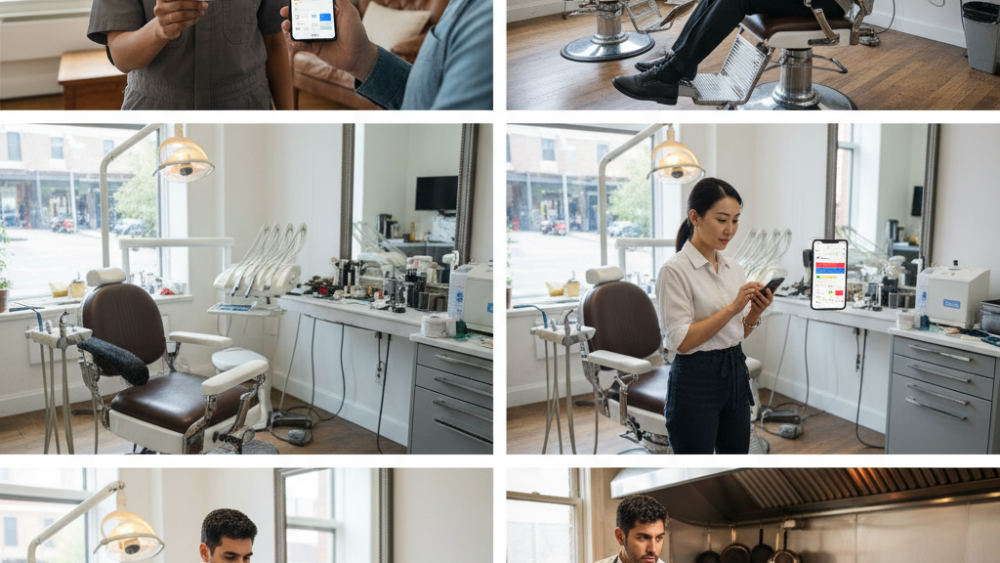
Steady review velocity matters more than total count. A business getting 8 reviews a month consistently will outrank one with 200 reviews that got them all two years ago and nothing since. Google's rules are simple: you can ask every customer for a review, but you cannot incentivize them, gate the request based on their sentiment, or use a third party review site as a filter. The goal is to build a system that generates reviews at a steady pace without violating those rules or triggering a suspension.
Practical rule: Steady review velocity of 2 to 5 requests per day beats a burst of 50 reviews followed by months of silence. Google rewards consistency, not spikes.
We recommend 2 to 5 review requests per day for past customers, sent by text and email at the happiest moment in the customer journey (right after the job is done or the service delivered). Use a short review link from your Google Business Profile and a QR code or NFC card you can hand to the customer on site. The short link comes from inside your profile settings or through a tool like Launch CRM, where you'll find it under Reputation > Settings. The QR code can be printed on a business card or yard sign, and the NFC card can be tapped with a phone to open the review form instantly.
Reply to every review within 48 hours, positive or negative, Support and helps your profile stand out in prominence. A reply to a five-star review can be as simple as "Thanks for trusting us with your roof, happy to help again anytime." A reply to a negative review should be professional, factual and focused on resolution, not defense. Never buy reviews, never offer discounts for reviews, never ask only happy customers, and never use review management services that filter or gate requests before they reach Google. Those tactics get profiles suspended, and the suspension can take months to reverse.
For more depth on setting up a compliant review system, visit our guide on how review management services operate within Google's guidelines.
Optimizing Google Business Profile Posts and Photos
Google posts should go out every 1 to 2 days at full speed, with a real photo from the job, a short description of what you did or an offer, and a clear call to action using the Book or Call button. Posts expire after 7 days, so consistency signals to Google that your business is active and engaged, which contributes to prominence. A post might show a finished HVAC installation with the caption "New Trane unit installed in San Marcos yesterday, ready for summer. Call us for a free quote," with a Call button linked to your tracked number.
Photos are even more critical. We recommend about 15 real photos per month dripped over time, not bulk uploaded, showing your team, your trucks, finished work, and happy customers (with permission). Avoid stock photos, logo waterfalls, and text-heavy graphics. Google rewards authentic images that show your actual business, and searchers click profiles with recent, real photos at higher rates. Every photo should have a recognizable element: your branded vehicle, a team member in a uniform, a logo visible on a job site sign, or a before and after comparison that demonstrates the quality of your work.
Every photo and post should be uploaded directly through your Google Business Profile dashboard or through a compliant tool like the Social Planner in HighLevel, never scraped or auto-posted from Instagram or Facebook in a way that violates Google's terms. Inside Launch CRM, navigate to Marketing > Social Planner, connect your Google Business Profile, and schedule your posts in advance so they publish at the optimal time without manual work. The goal is to create a rhythm where your profile always looks fresh and active, with new content appearing every day or two and photos accumulating steadily over weeks and months rather than all at once.
Service Area Businesses and Google Maps Ranking
Service area businesses that serve customers at their locations rather than having a storefront can absolutely rank in Google Maps, but setup is different and mistakes are common. During GBP setup, you must provide a real address where you receive mail and can be verified, but you then hide that address and instead list your service areas by city or radius. This signals to Google that you're a mobile business without a customer-facing location, and it allows you to appear in searches from the cities you serve rather than only the city where your office is.
Your service radius should be realistic, typically 30 to 40 minutes of drive time. Claiming a 100 mile radius dilutes relevance and makes it harder to rank well in any specific city. Focus your website, GBP description, and services on 3 to 5 target cities where you do the most work and want the most calls, naming those cities explicitly in your homepage title, meta description and H1. A pest control company based in Escondido but serving the surrounding area should list Escondido, San Marcos, Vista and Rancho Bernardo as service areas, then mention those cities by name in the GBP description and homepage headline.
A branded vehicle and job site photos showing your truck, team and service area help Google understand you're a real mobile service business and not a lead generation shell. Upload photos of your truck parked at job sites in each target city, with the business name and phone number visible on the vehicle. Add photos of your team working in those cities, and include photos of yard signs or door hangers with your branding. These visual signals reinforce that you're an active, legitimate service area business, which strengthens your prominence and makes it more likely Google will show you to searchers in those areas.
For businesses that need to build consistent citations across directories and listings, see our guide on using citation builder SEO to establish your service areas across the web.
Website and Profile Alignment for Local SEO
Your website and Google Business Profile must send the same signals, because conflicting information destroys relevance and confuses Google about what you actually do and where you do it. If your GBP lists Escondido and your homepage title says "Serving All of San Diego County", you lose focus and relevance. Google won't trust you enough to rank you highly in either location. Match your homepage title, meta description, and H1 to your GBP primary category and target city exactly. If your profile says "Roofing contractor in Escondido", your homepage should say the same thing or a close variation like "Escondido Roofing Contractor", never a vague regional claim.
Add LocalBusiness schema to your website. This is structured data markup that helps search engines understand details about a local business like your name, address, phone, hours, and service areas. This schema lives in your homepage code and feeds Google the exact same information your GBP displays, reinforcing consistency and making it easier for Google to verify your business details. Most modern website platforms and SEO plugins can generate this schema automatically once you fill in the fields correctly.
NAP consistency (ensuring your business name, address, and phone number are identical across your website, GBP, and every directory listing) is non-negotiable. Even small differences like "Street" versus "St" or "Inc." versus "Incorporated" hurt trust and prominence, because Google sees those variations as separate entities and can't confidently connect all the mentions back to one business. Pick one version of your NAP and use it everywhere, character for character, without exception.
Build local citations (mentions of your business name, address, and phone number on other websites like BBB, Yelp, Angi, and industry directories) to reinforce your location and improve prominence. Each citation acts as a vote that your business exists at that address and serves that area. The more consistent citations you have, the more confident Google becomes in your legitimacy. For more on building those citations effectively, check out resources on local listings and directories.
Google Business Profile Verification and Suspension Recovery
Google requires every business to verify before the profile goes fully live, usually by postcard, phone, email, or video, depending on the business type and Google's trust level of the address and phone number you provided. Verification proves you're a real business with legitimate access to that location. Without it your profile remains unpublished and invisible in search results. The postcard method sends a code to your business address that you enter online, typically arriving within 5 to 14 days, and is the default for most businesses. Phone and email verification appear as options for some businesses with established online presence or certain low-risk categories.
The 5-shot video method is the fastest path for most service businesses when offered. It requires you to record a short video tour that includes one wide shot of your building or truck with the business name visible, one shot walking to the door or vehicle, one interior or inside-the-truck shot, one shot of you or a team member at work, and one shot of signage or branded materials. This method verifies in 1 to 3 business days if done correctly, compared to the 2-week wait for a postcard, and works especially well for service area businesses without public storefronts. Record during daylight, hold your phone steady, and show each element clearly without narration or music.
Watch out: Never add keywords to your business name on your Google Business Profile. Use your exact legal or DBA name only, or Google will suspend your profile.
Common suspension reasons include keyword stuffing in the business name (like "Best Plumber Escondido" instead of the legal business name), using a shared address or virtual office that multiple businesses claim, or rapid profile changes that look like spam to Google's automated systems. If your profile is suspended, do not create a new one. That will lead to a permanent ban. File an appeal through the Business Profile Manager, provide proof of your legal business name such as a DBA or LLC filing, proof of address like a lease, utility bill, or business license, and photos showing signage and operations at that address. Write a factual, non-defensive appeal that acknowledges what you fixed and provides documentation, never arguing or blaming Google.
We provide specific frameworks for verification and assist with suspension recovery, walking you through the exact documents Google wants and how to write an appeal that gets approved on the first submission rather than dragging through multiple rounds.
Turning Google Profile Visits Into Booked Jobs
A high ranking means nothing if calls go to voicemail and messages sit unread. Searchers will simply move to the next business that picks up or responds immediately. Your Google Business Profile should feed directly into a lead capture system that logs every call, texts back missed calls automatically, and routes messages into one inbox where your team can respond in under 5 minutes. Without this system, you're paying for visibility but losing the job to a competitor with better follow-up.
Use a tracked phone number on your profile so you know which calls came from Google and can measure return on every ranking improvement, separating those leads from website calls, Facebook leads, and other sources. This tracking shows you which keywords and cities are driving actual calls, not just profile views, and lets you focus your optimization efforts on what converts. Enable Google Business Profile messaging (the chat feature searchers see on your profile) and route it into one inbox where your team can respond immediately, not a separate app they check once per day.
Add a booking link as your appointment URL on the profile, so searchers can book a time slot instantly without calling. This reduces friction and captures leads outside business hours when your office is closed. This link appears as a prominent button on your profile and turns late-night searchers into scheduled jobs that would otherwise go to a competitor who picks up the phone at 7 a.m. We use Launch CRM, built on HighLevel, to turn Google calls and messages into booked jobs through features like missed call text back, instant welcome texts, follow-ups, and a simple lead pipeline that makes sure no lead falls through the cracks.
Comparing Local Ranking Factors
The table below shows how the three core ranking factors, common issues, and fixes compare in impact and effort, helping you prioritize what to tackle first when your ranking is stuck.
| Ranking Factor | Common Issue | Fix | Impact | Effort |
|---|---|---|---|---|
| Relevance | Wrong primary category or incomplete services list | Choose the most specific category and fill out every service field | High | Low (1 hour) |
| Distance | Business is too far from searchers in target city | Focus on realistic service areas; optimize for cities within 30-40 minutes | None (can't move) | N/A |
| Prominence | Few reviews, old reviews, or no review replies | Build steady review velocity of 2-5 requests per day and reply to every review within 48 hours | High | Medium (ongoing) |
| Prominence | No recent photos or posts on profile | Upload 15 real job photos per month and post every 1-2 days with a call to action | Medium | Low (15 min/day) |
| Prominence | NAP inconsistencies across directories | Audit all citations and correct to match GBP exactly | Medium | High (2-4 hours) |
Relevance fixes like choosing the right category and filling out services are high impact and take less than an hour, making them the best starting point for any business that's invisible or ranking poorly. Distance cannot be changed unless you open a second location, but you can optimize for realistic service areas and target cities to maximize where you show up and avoid wasting effort on areas too far away. Prominence takes months to build through steady reviews, citations, and profile activity, but it's the factor that keeps you in the top 3 once you get there and prevents competitors from pushing you down.
When Local SEO Is the Wrong Approach
Local SEO only works if you have a real, verifiable business address or operate as a legitimate service area business with a branded vehicle and real jobs you can document. If you're a lead generation company, affiliate marketer, or running a virtual office scheme where multiple businesses share the same address, Google will suspend your profile and local SEO will fail no matter how much you optimize. Don't waste time or money trying to game a system designed to show real businesses to real searchers.
Businesses with serious reputation damage, specifically an average review rating below 3.0, should fix that crisis first before investing in ranking improvements. A high ranking with terrible reviews drives searchers to competitors faster than being invisible. If your rating is that low, pause new review requests, focus on delivering exceptional service, and slowly rebuild with satisfied customers while addressing the legitimate complaints in your existing negative reviews. Once you're back above 3.5 stars, you can shift focus to volume and velocity.
If your service area is too narrow (like a single small neighborhood with only a few hundred potential customers) or impossibly broad (like nationwide service with no geographic focus), local SEO will not deliver the call volume you need to grow. Focus on a realistic 30 to 40 minute radius or 3 to 5 target cities where you already do business and want more work, not everywhere you could theoretically serve if someone called.
Timeline expectation: Most local SEO improvements take about 90 days to recalibrate, with ranking gains appearing in months 4 to 6. This is a long game, not a quick fix.
Local SEO is a long game. If you need calls this week or this month, run Google Local Services Ads or pay-per-click instead. Expect 90 days to recalibrate your profile after major optimizations and months 4 to 6 to see ranking movement if you maintain steady review velocity and profile activity throughout that period.
Tracking and Measuring Local SEO Results
Track your Google Maps ranking in a geo grid. This means checking your position for your main keyword in each of your target cities, measured from the center of each city, on a weekly basis. Use a rank tracking tool that lets you set specific lat/long coordinates for each city, because your ranking changes based on where the searcher is located. Checking from your own office only tells you how you rank in that one spot. Log these rankings in a spreadsheet or dashboard so you can see trends over weeks and months, not just day-to-day fluctuations.
Measure profile views, search queries that found your profile, phone calls, direction requests, website clicks, and message volume month over month inside your Google Business Profile dashboard, which shows you exactly how searchers are interacting with your listing. These metrics tell you whether your optimizations are increasing visibility and engagement, even before you see ranking movement. They help you understand which actions drive the most valuable leads. A spike in profile views with flat calls means your category or description isn't converting; a spike in calls means your ranking and message are working together.
Use a call tracking number on your GBP so you know which calls came from Google versus your website, Facebook, or other channels, and listen to recordings to understand what searchers are asking for and how your team is handling those calls. This tracking closes the loop between ranking improvements and actual revenue, letting you calculate ROI on every hour and dollar you invest in local SEO. For a complete view of how your data translates into actual calls and bookings, explore tools that connect your Google Business Profile metrics to your pipeline and closed jobs.
Take the Next Step in Local SEO
Most local businesses know something is holding their Google ranking back but don't know which fix to do first or how much each one matters. That confusion leads to wasted effort on low-impact tasks while critical issues go unfixed. Our free Google Business Profile audit reviews your business info, categories, services, reviews, photos, posts, and website alignment, then delivers a ranked list of fixes by impact with no credit card and no obligation. You get a clear roadmap of exactly what to optimize, in what order, so you're not guessing or following generic advice that doesn't fit your situation.
Call 760-253-1477 to talk through your audit results and build a plan to get your business into the Google Maps top 3, or request your audit at the link provided to get started today. We serve roofers, HVAC companies, plumbers, pest control, med spas, dentists, solar installers, auto mechanics, and other local service businesses across the United States, bringing niche-specific expertise to every audit and optimization plan. Whether you're invisible in Google Maps or stuck at position 4, we'll show you the exact gaps between your profile and the businesses ranking above you.
Frequently asked questions
How do local SEO rankings work?
Local SEO rankings work by evaluating three core factors for every search: relevance, which measures how well your profile matches the query; distance, which measures how far you are from the searcher; and prominence, which measures how well-known and active your business is online based on reviews, links, and profile completeness. Google dynamically weighs these factors, so a closer business with weak relevance can lose to a farther one with a perfect category match and strong reviews. Rankings change based on where the searcher is located and what exact words they use, which is why your position varies across different neighborhoods and search phrases.
What factors affect local SEO rankings?
Primary and secondary categories, completeness of your Google Business Profile, number and recency of customer reviews, consistency of your name, address, and phone number across the web, and the quality and freshness of photos and posts all directly affect local rankings. Website factors like LocalBusiness schema, homepage title and H1 alignment with your GBP, and local citations also contribute to prominence. Google also considers how often you respond to reviews, whether your hours are accurate, and how engaged your profile appears based on post frequency and message response time, using these engagement signals to separate active businesses from abandoned profiles.
How do I improve my local SEO rankings?
Start by completing every field in your Google Business Profile: exact business name, primary and secondary categories, services, description, hours, and attributes, which Support. Build steady review velocity by requesting 2 to 5 reviews per day from recent customers, and reply to every review within 48 hours to signal active engagement. Post real photos weekly (about 15 per month dripped over time) and publish Google posts every 1 to 2 days with a clear call to action. Align your website homepage title, meta description, and H1 with your GBP keywords and target city, and ensure NAP consistency across all online directories.
How do I get my business to show up in the Google Maps top 3?
To reach the top 3, you need stronger relevance, better prominence, or both compared to the businesses currently ranking above you in your target city. Run a competitive analysis by checking the primary categories, review counts, review recency, photo counts, and post frequency of the top 3, then match or beat those benchmarks in every area where you're behind. Focus on the 30 to 40 minute service radius or 3 to 5 target cities where you do the most work, rather than trying to rank everywhere. Expect 90 days for Google to recalibrate your profile after major optimizations, with ranking gains appearing in months 4 to 6 if you maintain steady review velocity and profile activity throughout that period.
What are the best practices for Google Business Profile verification?
Choose the minimalist verify-first approach: create your profile with only your exact legal or DBA business name, accurate address, phone number, and category, then verify immediately before filling out the rest of the fields to avoid triggering spam filters. If offered video verification, use the 5-shot method with one wide shot of your building or truck with the name visible, one shot walking to the door, one interior or inside-the-truck shot, one shot of a team member at work, and one signage close-up. Never add keywords to your business name, never use a PO box or virtual office, and never make rapid changes during the verification waiting period. Any of these will delay or block approval.
What content performs best in Google Business Profile posts?
Posts with a real photo from a recent job, a short description of what you did or a limited time offer in 100 words or less, and a call to action button such as Book or Call perform best because they show authentic work and make it easy for searchers to respond. Consistency matters more than perfection. One post every 1 to 2 days signals activity and engagement, which contributes to prominence. Avoid stock photos, logo-only images, and text-heavy graphics. Google and searchers favor authentic images showing your team, your work, and your vehicles at real job sites.
Do negative reviews hurt my local SEO ranking?
A few negative reviews do not hurt your ranking and can actually increase trust by showing your profile is real and unfiltered, not a fake listing with only 5-star reviews. What hurts ranking is a low average rating below 3.5 stars, a sudden flood of negative reviews that drops your average quickly, or ignoring reviews and never responding (which signals you don't care about customer feedback). Reply to every negative review professionally and factually within 48 hours, and flag reviews that violate Google's policies (such as fake reviews, spam, or reviews from someone who was never a customer) for removal through the Business Profile Manager.
Local SEO rankings determine which businesses appear when searchers look for services near them. Improving those rankings requires completing your Google Business Profile, building steady review velocity, aligning your website with your profile, and maintaining consistent activity over months. The businesses that reach the top 3 in Google Maps are the ones that match relevance, maximize proximity to their target cities, and build prominence through reviews, photos, posts, and citations, all while tracking results to know what's working and where to focus next.
To find out exactly what's holding your business back and get a prioritized list of fixes by impact, visit our homepage to request your free audit today.

